
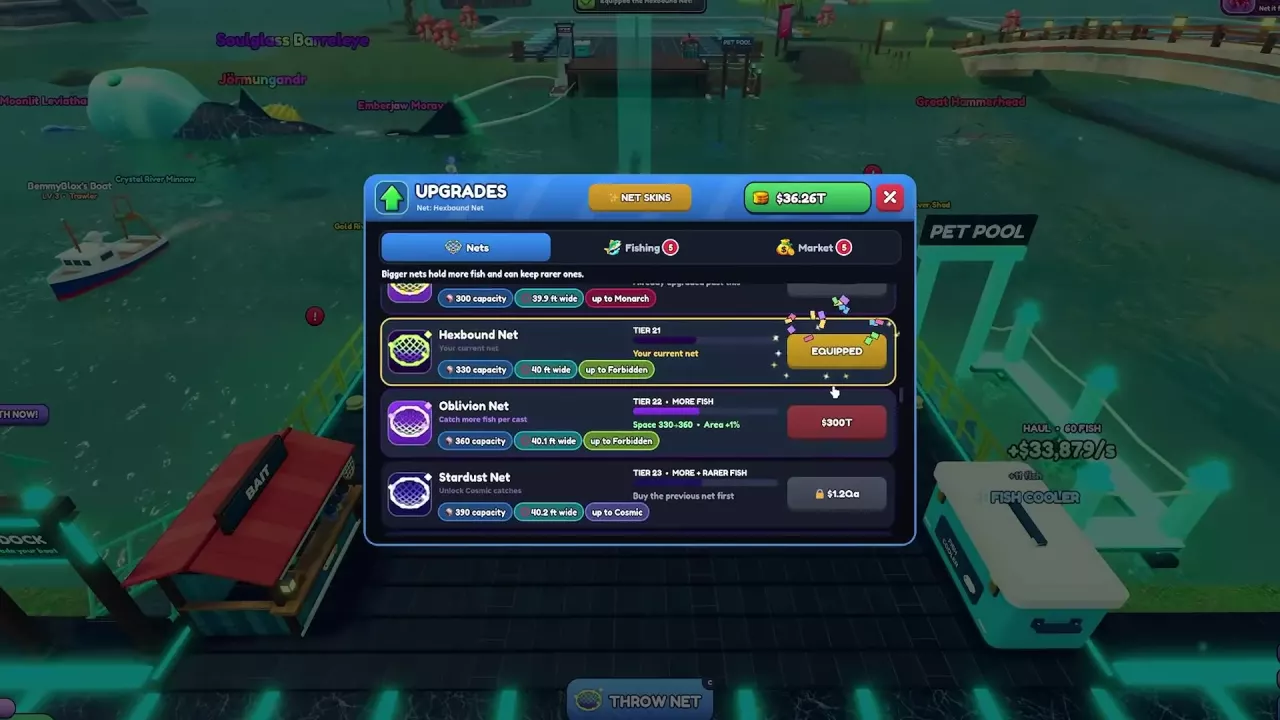
Net A Fish Nets: Stats, Prices and Unlock Requirements
Compare all 48 Net A Fish nets, follow purchase requirements, plan rarity upgrades, and distinguish the Tier 17 and Tier 48 Ancient Nets.
Last updated:
Cast from your dock, let fish accumulate, and retrieve your haul. Knowing the difference between net space, catch area, and rarity requirements helps you decide when to wait and what to upgrade.
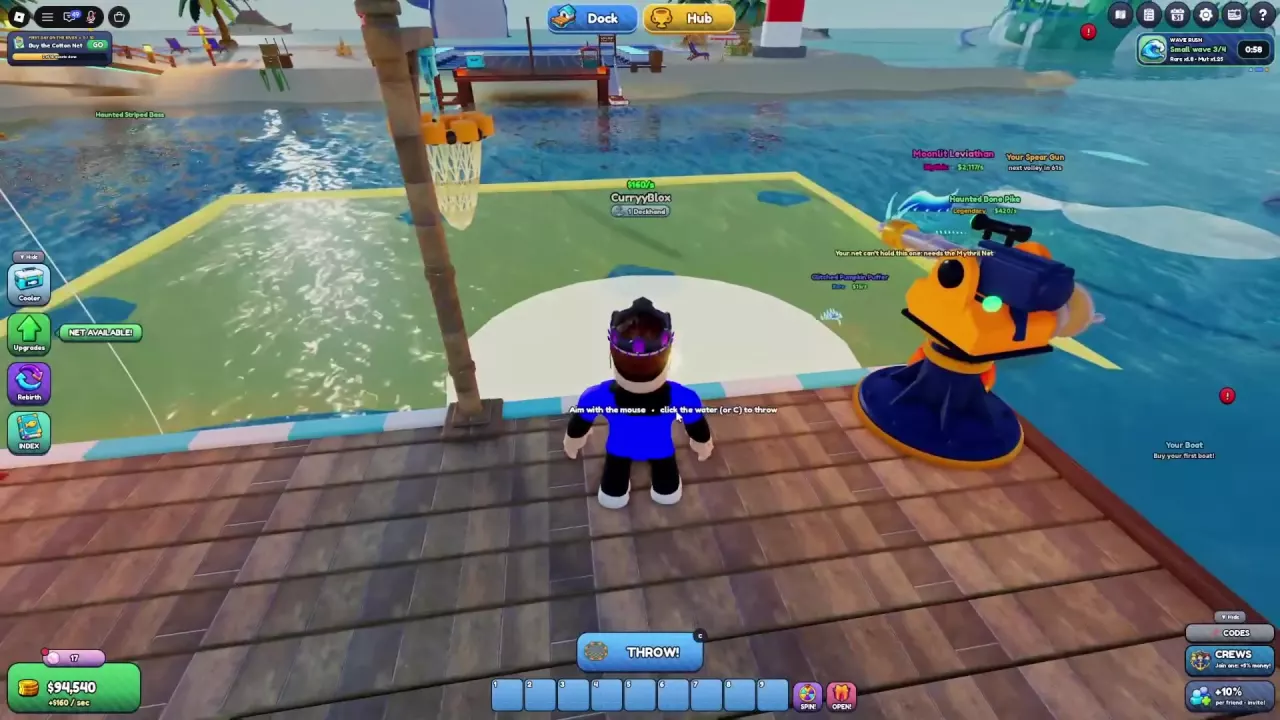
| Action | Control | Result |
|---|---|---|
| Start aiming | Select THROW NET at your dock | Opens the catch-area preview |
| Position the net | Move the mouse over the water | Moves the highlighted preview |
| Cast | Click the water or press C | Throws the net and starts fishing |
| Retrieve | Select REEL IN when available | Starts bringing the net back |
Different purchases improve different parts of a cast:
| System | What it changes | Where to learn more |
|---|---|---|
| Nets | Base capacity, width, and the rarity tier the net can retain | Net stats and purchase requirements |
| Fishing upgrades | Permanent cash upgrades for time, capacity, luck, size, and other fishing benefits; purchased levels survive Rebirth | Fishing upgrades and buying priorities |
| Bait | An equipped consumable's specific bonuses; normally uses one bait per cast, unless Bait Saver preserves it | Bait effects and unlocks |
| Potions | Timed effects, including Net Space and Cash Boost | Potion effects and activation |
Lucky Bait in Upgrades → Fishing is a permanent upgrade, separate from consumable bait. Running out of consumable bait does not stop fishing.
| Display | Meaning |
|---|---|
| NET SPACE | Occupied space / current capacity. For example, 4/7 means four of seven units are occupied. |
| UP TO | The displayed rarity limit for the current fishing setup. |
| BEST CATCH | The leading catch in the active net. |
| REEL IN | Retrieval control; its label can include a condition such as Full or a countdown. |
| REELING IN | Retrieval is underway. |
Once the net is fishing, you can move around and visit the Hub while it continues filling. Return to your dock for the next cast; see Dock and Hub locations for navigation.
Positioning the preview controls the area you cover. A visible rare fish inside that area is not a guaranteed catch: fishing includes randomness, and the fish may require a stronger net.
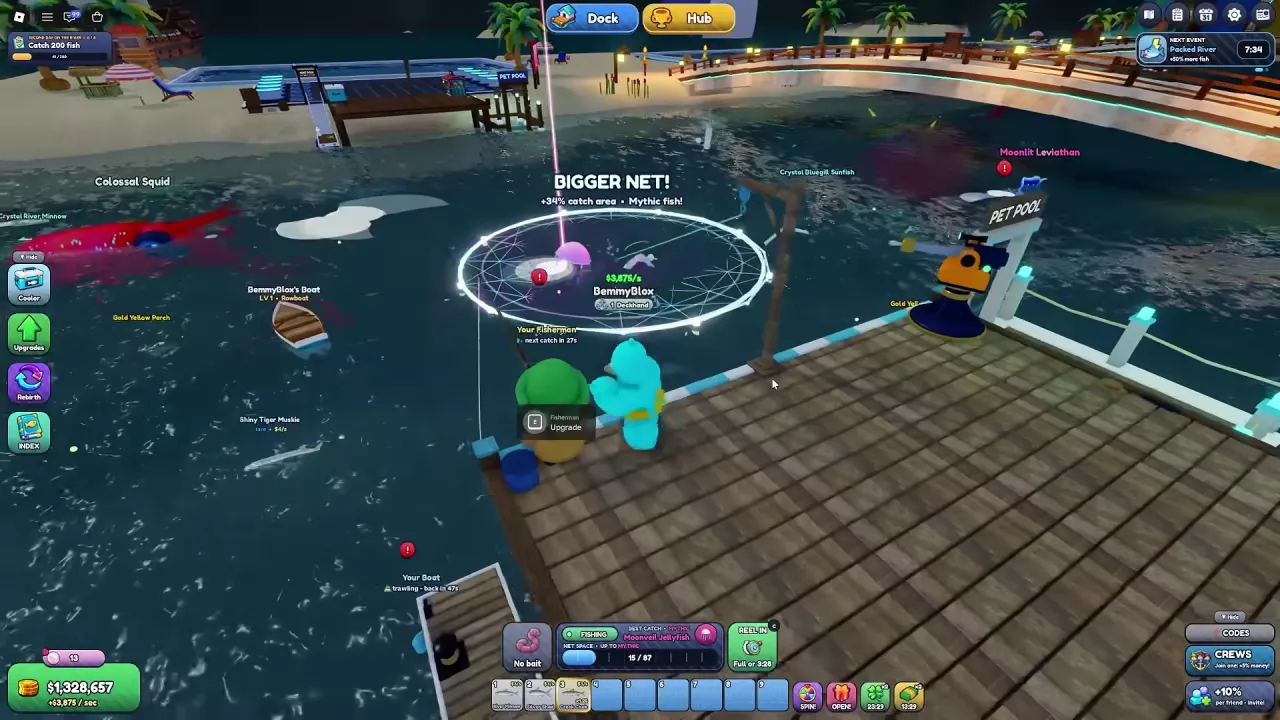
Wait when the net still has room and fishing time remaining. That gives it more time to accumulate catches. For example, a Mythril Net setup with 87 capacity increased from 18/87 to 35/87 while left in the water.
Reel in when you want to retrieve the current haul and the control allows it. You do not always need to fill every slot: an unfilled cast can be retrieved, as in a cast collected at 130/179. Follow the current REEL IN condition rather than treating every countdown as the same fixed wait.
Longer Soak increases the maximum time the net can stay out. It helps when time runs out with unused space. It does not prevent an earlier full-net return or manual retrieval, so extra soak time is less useful when capacity is already the limiting factor.
| Result | What to read |
|---|---|
| FULL | The net reached its current space limit. |
| HAUL | The retrieved catch summary. |
| Cash result | The dollar reward shown for that result. |
| Cooler notification | How many fish entered the Cooler. |
| NEW PB | A new personal-best weight for that fish. |
These counts are not interchangeable. For example, one 87/87 cast produced FULL ×3, +$46,500 (×1.2), HAUL · 60 FISH, and a notification that 2 fish entered the Cooler. Read each as a separate part of that cast's result; the cash amount is not a fixed reward for filling an 87-space net.
If “Something is pulling hard on your net...” appears, continue through the special catch reveal to see the fish result.
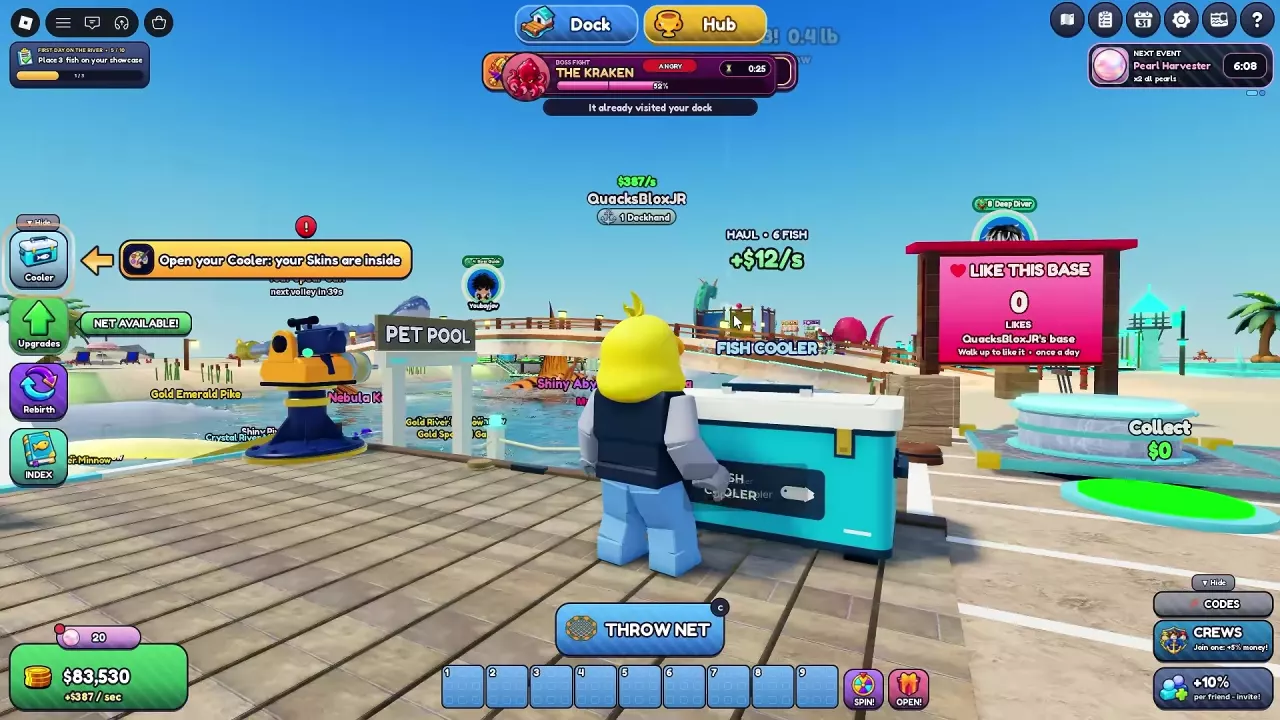
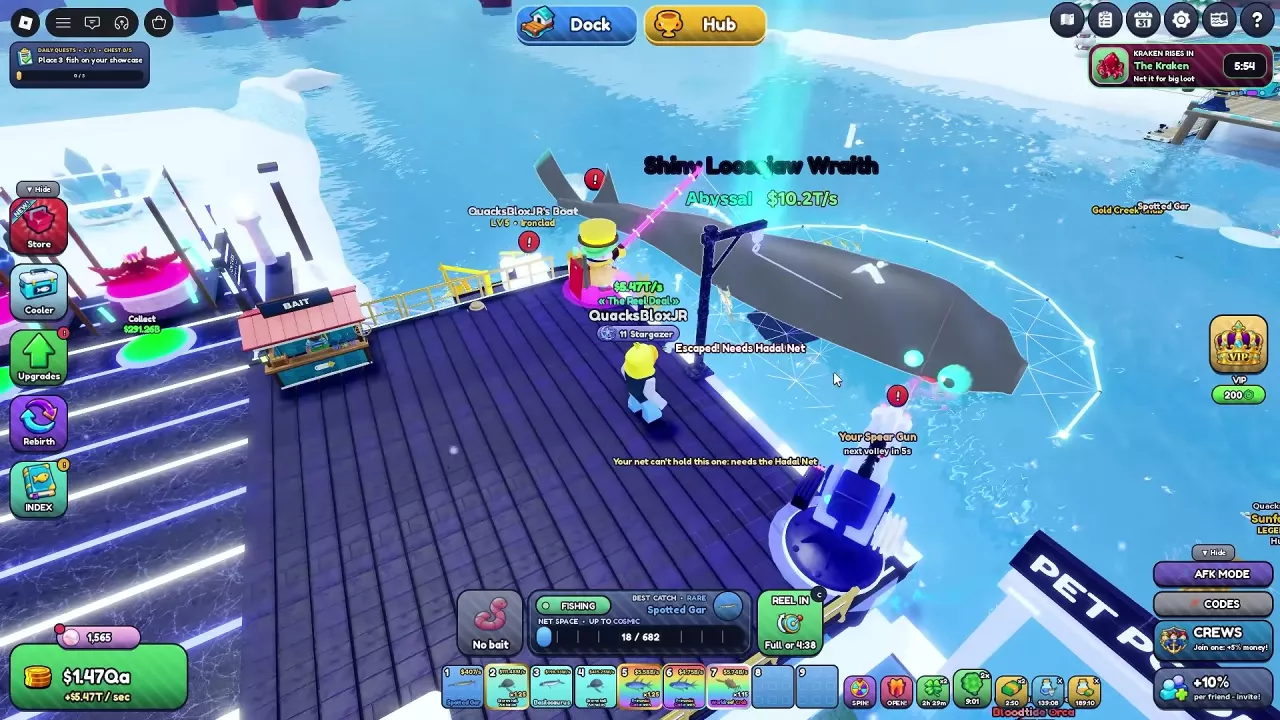
“Escaped! Needs [net name]” identifies an equipment requirement. Covering the fish or having spare capacity does not satisfy it. For example, an Abyssal Shiny Loosejaw Wraith can escape with an explicit Hadal Net requirement.
An escaped target does not necessarily end the cast. The net can continue collecting other fish. Use the net catalog to plan purchases and the Fish Index to look up species and catch requirements.
Some catches exceed the displayed UP TO tier under particular conditions:
These outcomes are exceptions to ordinary expectations, not a dependable way to bypass a named-net requirement. Plan your next equipment purchase around the escape message rather than expecting another above-limit catch.
Choose the benefit that addresses what is limiting your casts. Width controls coverage, capacity controls available space, attraction draws nearby fish toward the net, and soak time controls how long it can remain out.
For example, the Rope Net → Twine Net comparison changes width from 24 ft to 24.8 ft, capacity from 5 to 6, and lists a 7% catch-area increase. Those are separate improvements; capacity alone does not describe the area covered.
| Your goal | Useful choice | Why it fits |
|---|---|---|
| Cover more water | A wider net; later, Wide Throw | Wide Throw adds 1 ft of net width per level, up to Level 10, and unlocks at Sea-Master, Rebirth 10. |
| Keep a quickly filling net out longer | Net Weaver or a higher-capacity net | More space lets the cast hold additional catches. Net Weaver's first level costs $700. |
| Give an unfilled net more time | Longer Soak | Extends maximum soak time; the first level costs $150. |
| Improve catch rarity | Lucky Bait | Improves the luck of fish gaining one rarity tier. |
| Catch larger, higher-income fish | Giant Bait | Increases fish size and weight, improving their income per second. |
| Collect more copies for fusion | Double Haul | Can add a same-species twin on retrieval without using net capacity. |
| Target mutated catches | Mutation Magnet | Improves mutation luck for Shiny, Gold, Crystal, Glitched, and Rainbow fish. |
Open Upgrades → Fishing to compare the current effect, next-level effect, and price. Use the full Fishing upgrade guide for later unlocks and purchase priorities, or the net catalog when you need a higher catch tier.
For temporary benefits, choose bait by its specific effect and equip it for the casts you want to boost. Choose a Net Space potion for temporary capacity or Cash Boost for its timed cash effect; the potion guide explains buying, drinking, and timers.
Keep these effect labels distinct when choosing a benefit. Additional width changes coverage; it does not establish a longer casting distance.
Compare all 48 Net A Fish nets, follow purchase requirements, plan rarity upgrades, and distinguish the Tier 17 and Tier 48 Ancient Nets.
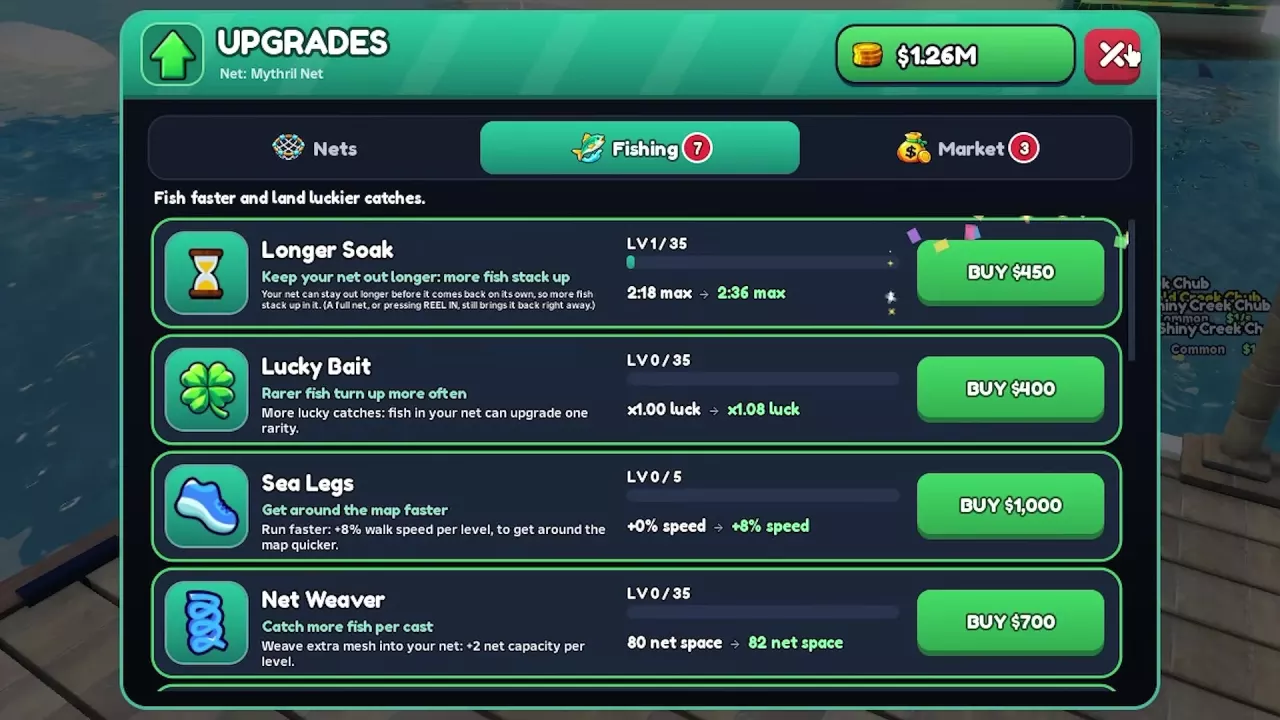
Compare all 13 Net A Fish fishing upgrades, costs and Rebirth unlocks. Choose upgrades for capacity, soak time, rarity, size, fusion or mutations.
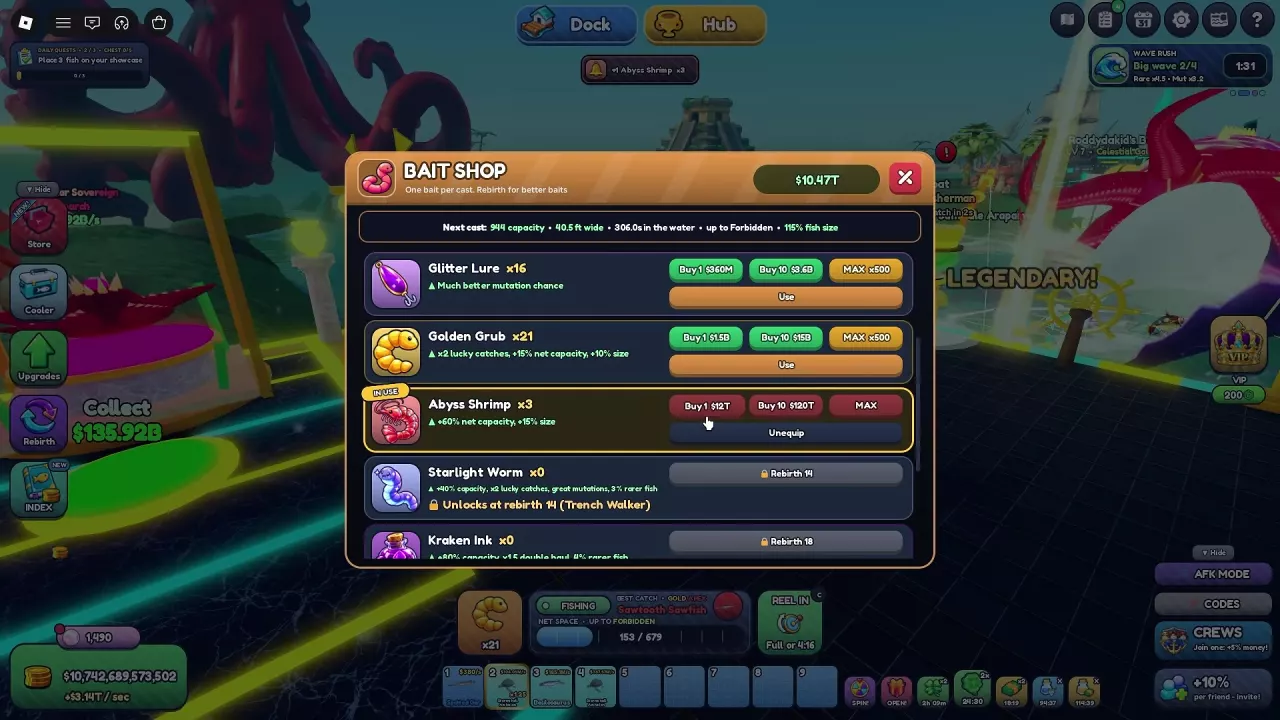
Compare all 10 Net A Fish bait types, their bonuses and Rebirth unlocks. Choose bait for your goal, equip it correctly, and reduce restocking costs.
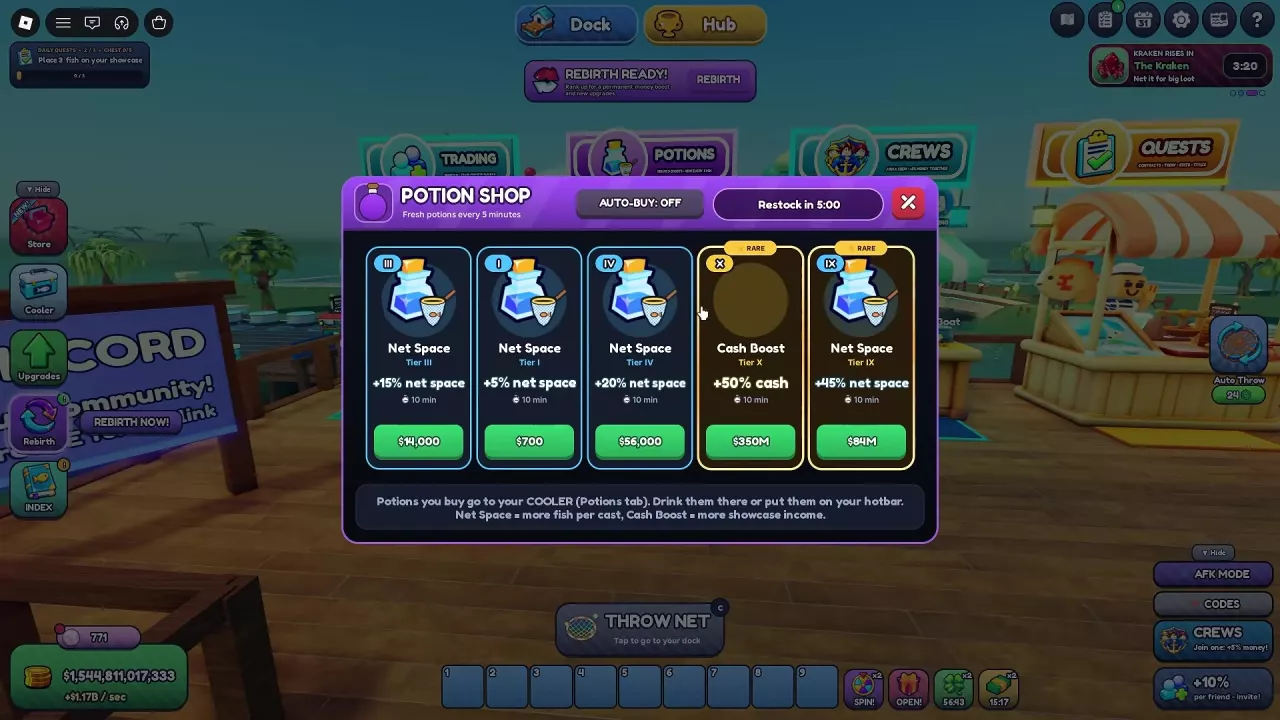
Compare Net A Fish potion tiers, find the Potion Shop, use potions from your Cooler, and learn how a Cash Boost timer can be extended.
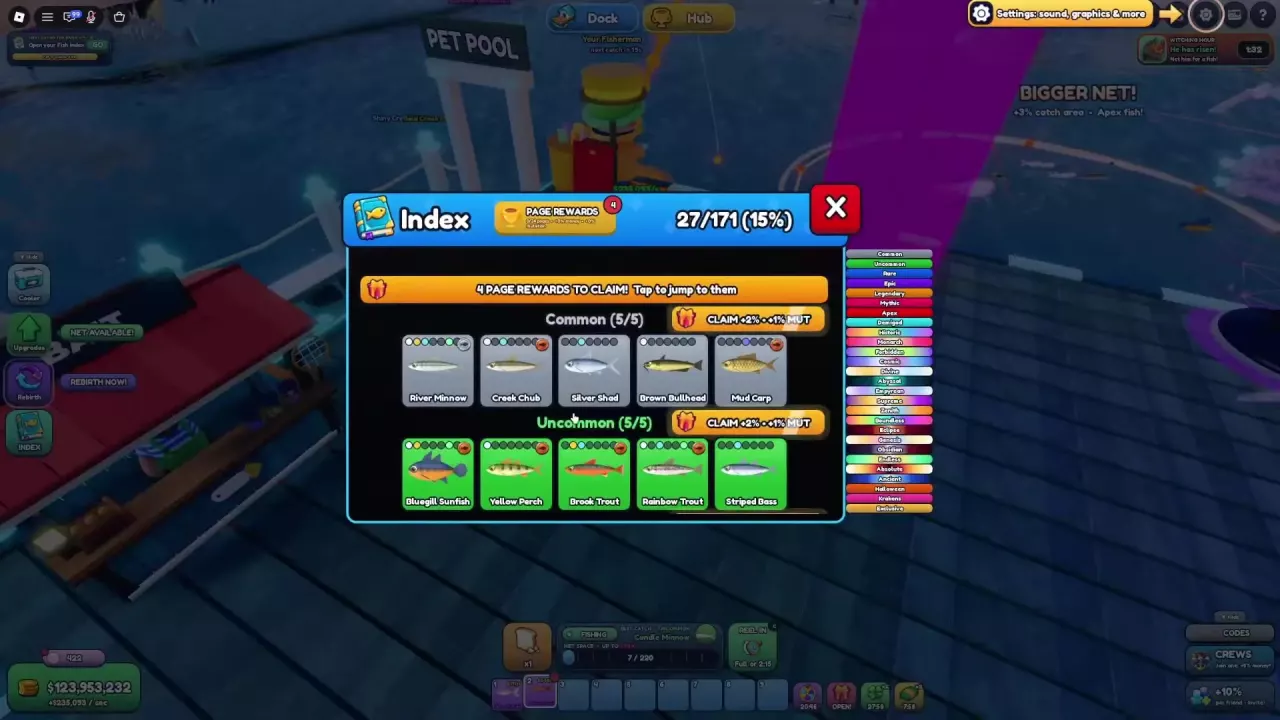
Search the Net A Fish fish list by name and rarity. Find net requirements, fill collection gaps, claim permanent Index rewards and build species mastery.
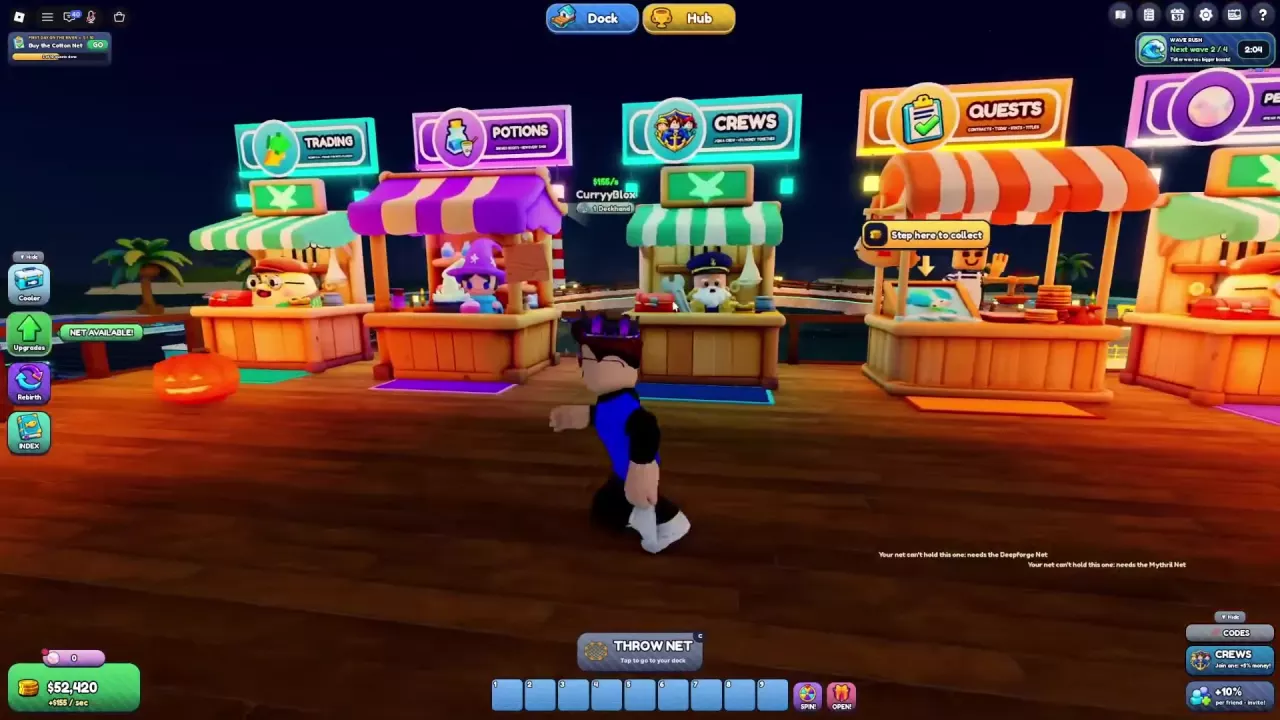
Find Net A Fish Dock and Hub facilities, travel between them, and unlock the Jungle Swamp and Frozen Glacier environments.